
Console and maps
The state of systems in the foreground, from summary views to detailed maps.
A summary view, and a page built to measure
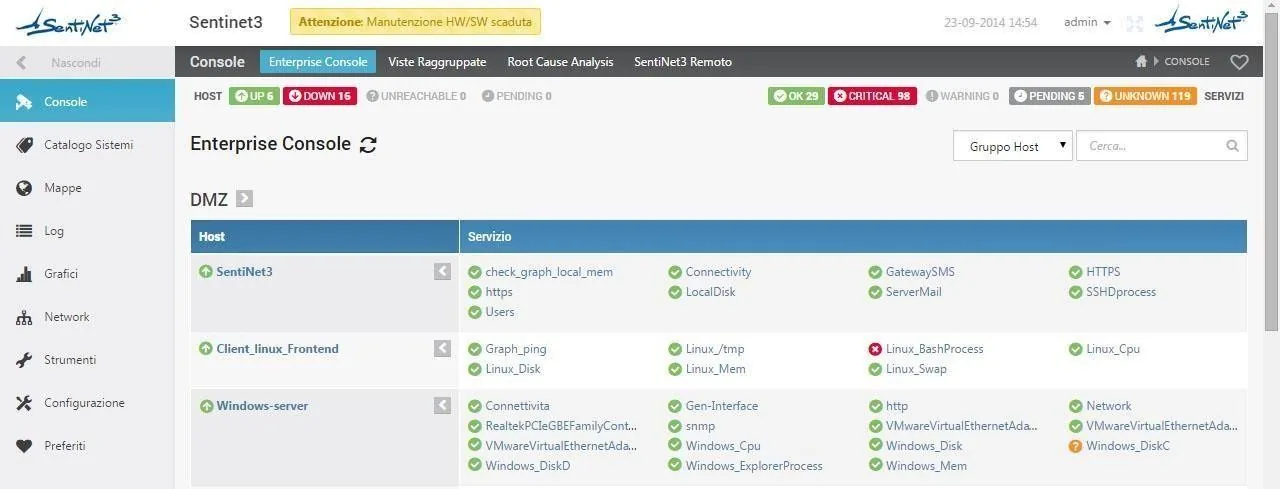
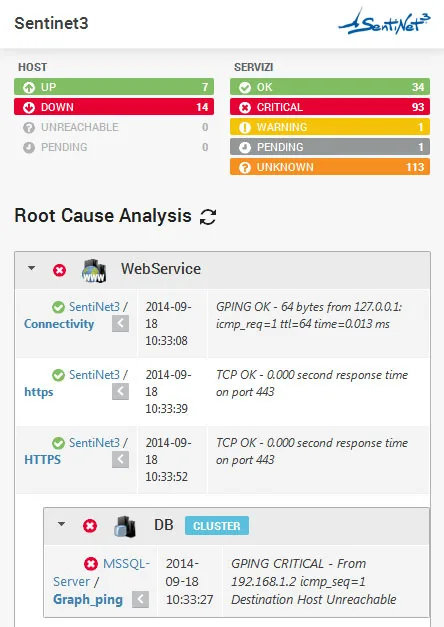
The console presents host and service states in summary form, with distinct operational categories, filters and groupings.
Tactical Overview makes it possible to build a custom page with the checks and reports considered a priority, to keep the most relevant systems under observation.
- Operational categories, filters and groupings
- Navigation down to the individual host or service
- Personal page with priority indicators, charts and states
From the geographic site to the rack, with successive drill-downs
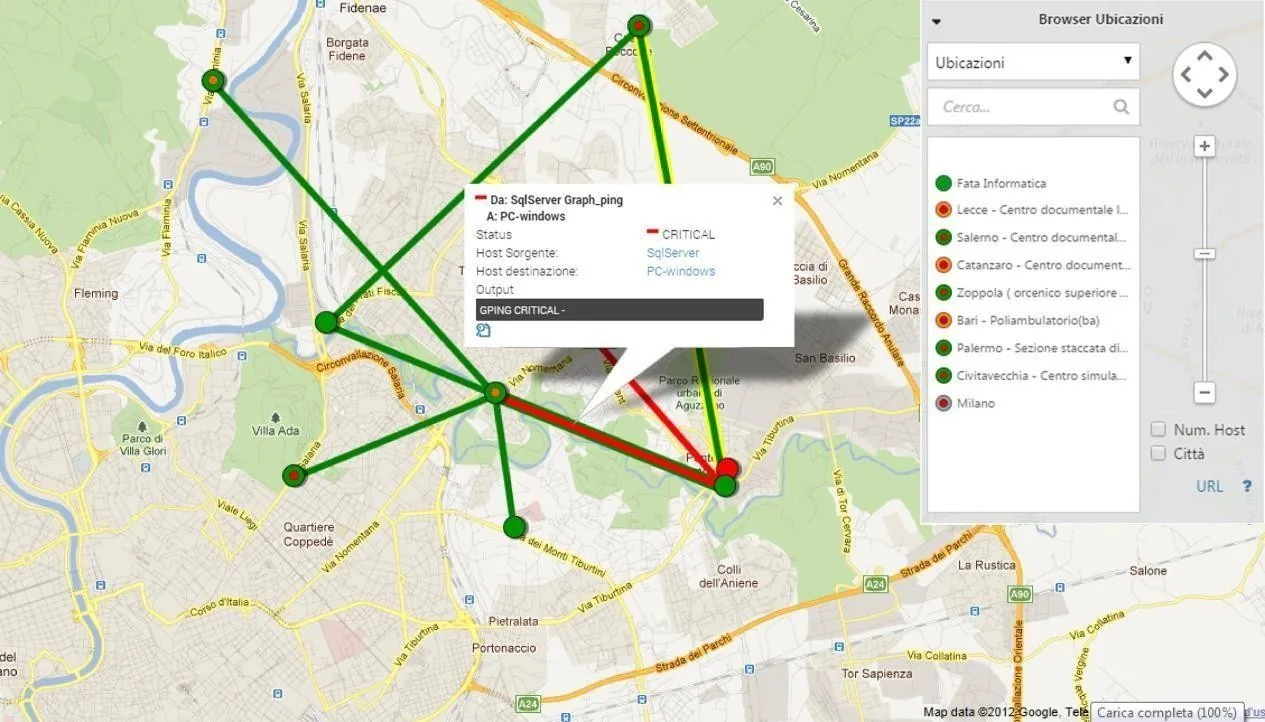
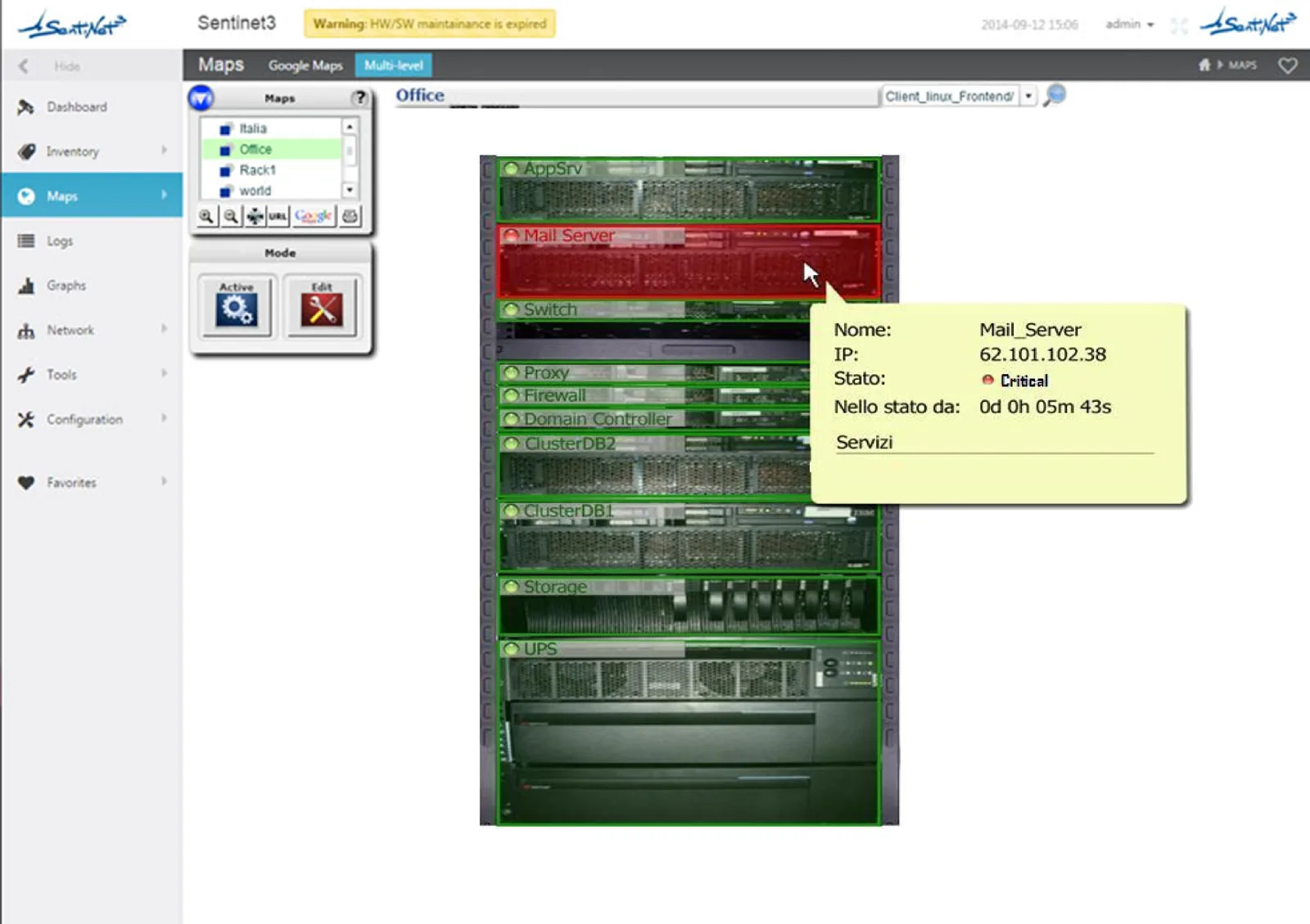
Core maps can start from the geographic distribution of sites and reach, through successive drill-downs, the data center, the racks or the infrastructure components. Host state is shown with visual indicators.
Geographic links can be expressed as link services, which summarise the state of the connection between two points on the map.
- Multi-level maps
- Georeferenced maps (Google Maps)
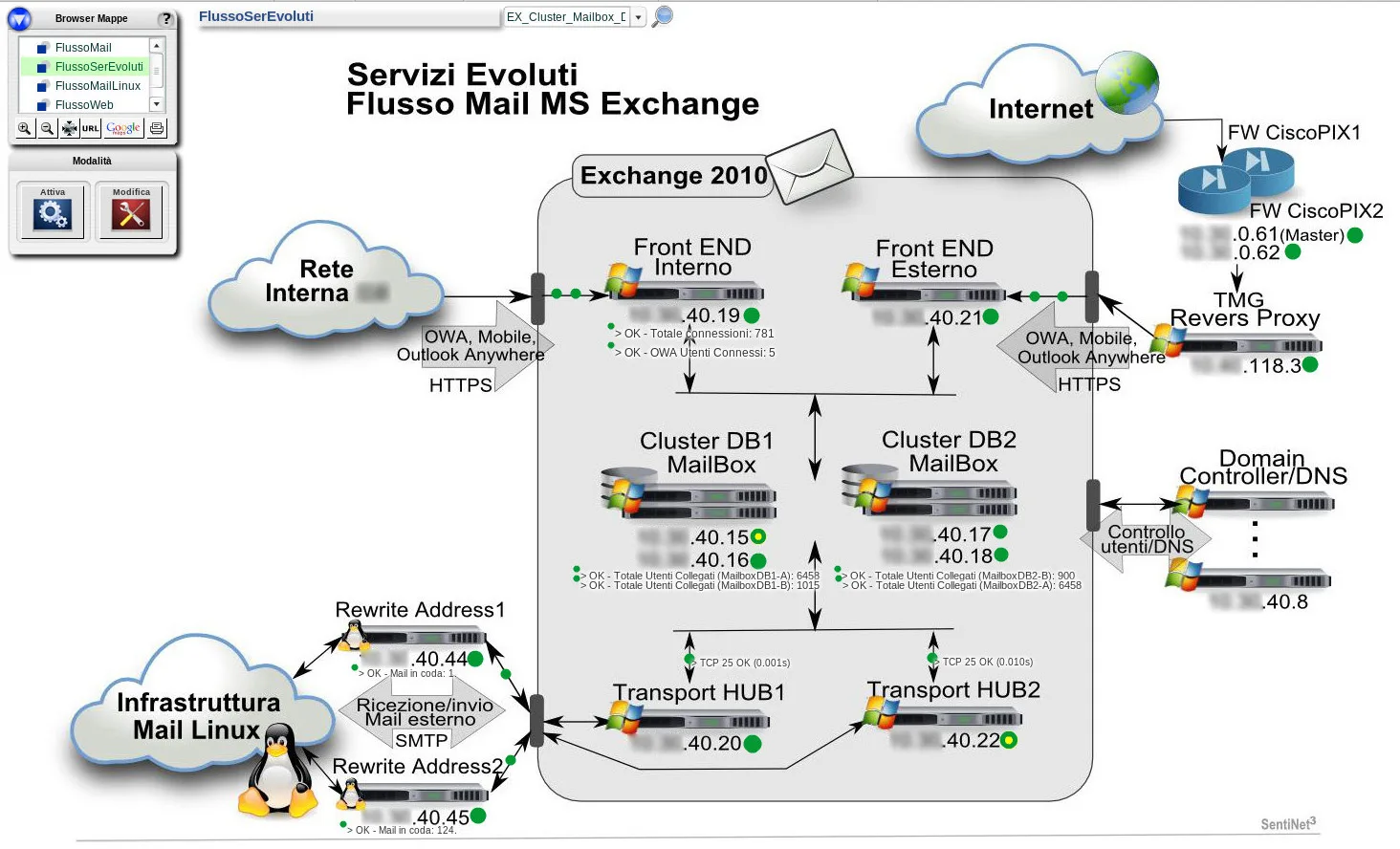
- Topology maps
- Logical service maps and rack maps
The context of an alarm, even outside the operations room
Mobile access is an integral part of Sentinet³ Core. The responsive web portal makes it possible to consult the console, states and monitoring information from desktop workstations as well as smartphones and tablets, so that on-call staff can check an alarm and its context wherever they are. Sentinet³ is also integrated with QR codes.
Governed access. Even on mobile, access remains governed by the roles and credentials defined in the installation. Native security
Console and maps over time
The same views can be taken back to a past date and time with Time Machine, to reconstruct the state of systems at the time of a failure.
Multi-site connectivity failure
Several services at one site become unavailable in the same interval. The topology view, interface checks and georeferenced maps help to distinguish the failure of a shared device from outages of individual systems. Escalation routes the event to the group responsible for connectivity.
All scenariosRelated topics
Want to see Sentinet³ on your infrastructure?
Tell us about your environment: sites, technologies, critical services. We will show you how Core and Infinity can work on your case.